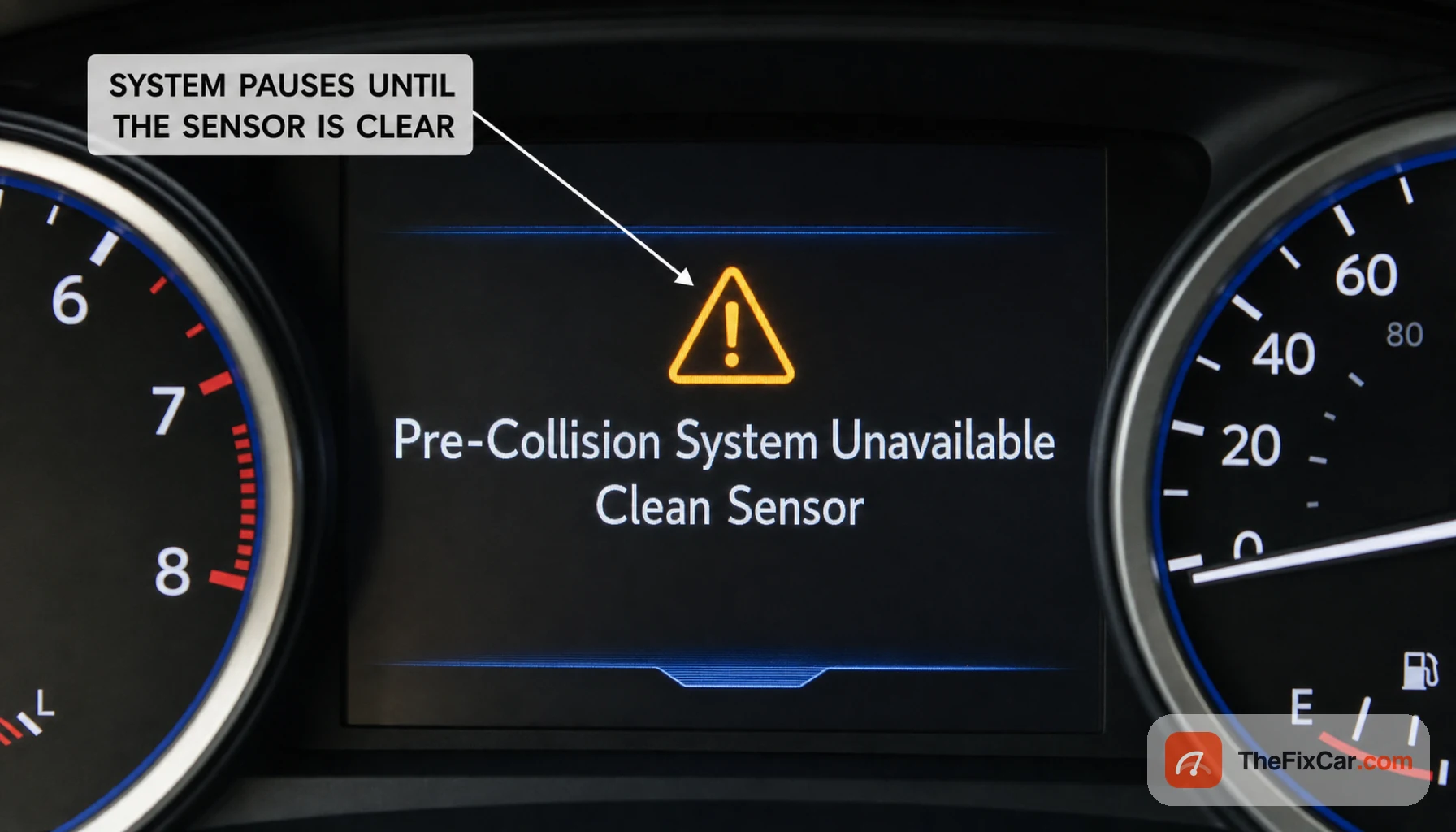
A yellow message lights up on a Toyota or Lexus dash reading “Pre-Collision System Unavailable,” often paired with “Clean Sensor,” and the adaptive cruise control and automatic braking quit at the same time. It tends to show up in rain, snow, or fog, or after the front of the car gets dirty, which is why drivers often fear a major fault when the fix is usually simple.
Quick answer
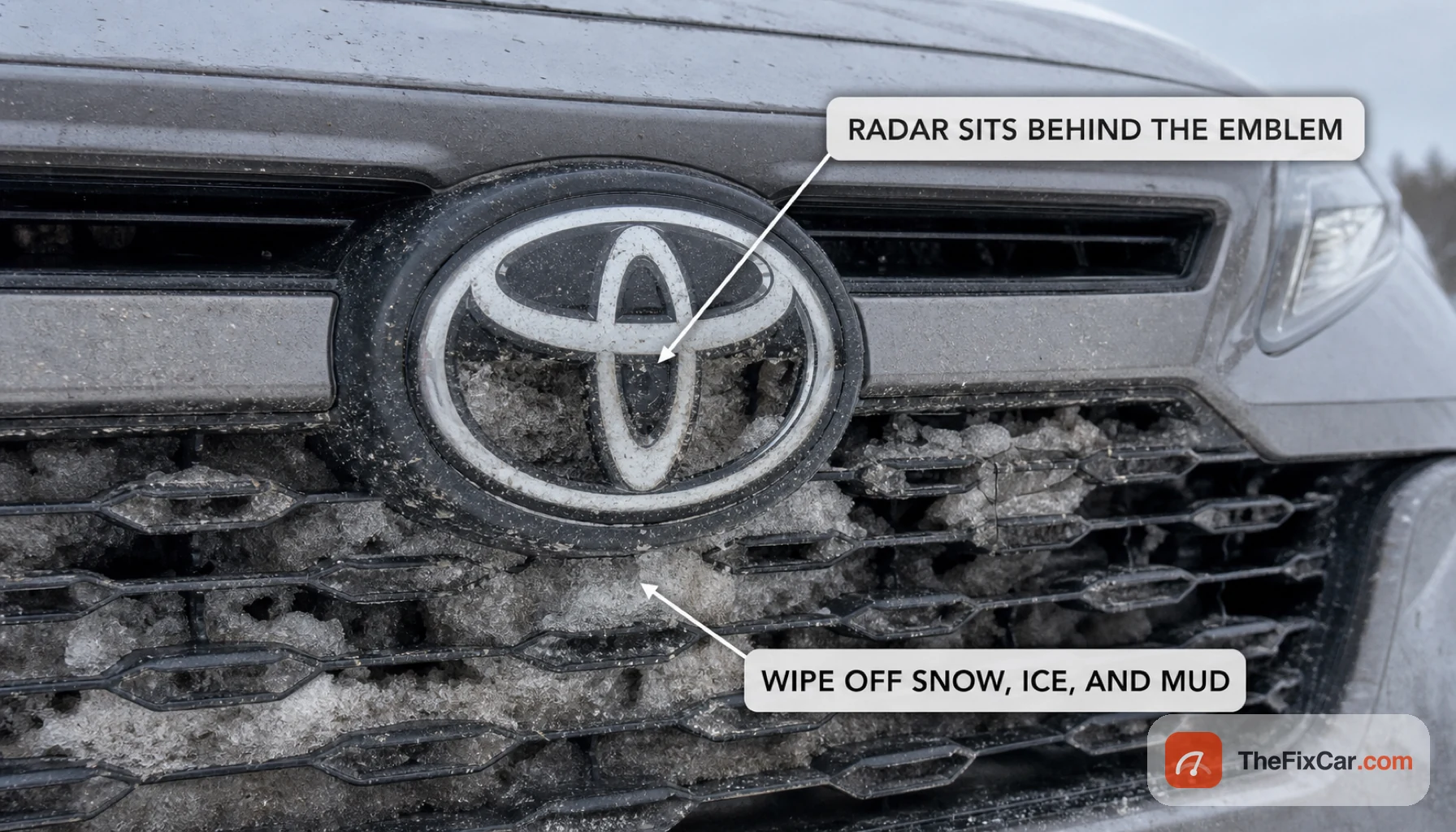
The most common cause is a blocked front sensor: the radar behind the front emblem or lower grille, or the camera behind the windshield near the mirror, covered by snow, ice, mud, bugs, or road film. Wipe those areas clean and the message usually clears within a short drive. The base steering and conventional brakes usually remain available, but automatic emergency braking and other affected driver-assist features may be disabled, so check for additional warnings. If cleaning and clear weather do not fix it, a diagnostic scan and possible recalibration are the next step.
What the message is telling you
It means the system cannot obtain reliable camera or radar data, so it disables affected driver-assist functions. The sensors involved sit in two places, and either one being blocked can trigger it.
| What is blocked | Where to look |
|---|---|
| Front radar | Behind the front emblem or in the lower grille |
| Front camera | Behind the windshield, near the rearview mirror |
| Weather blinding | Heavy rain, snow, fog, or low sun on the sensors |
Most common causes
- Blocked front radar: snow, ice, mud, or bugs packed over the emblem or grille area where the radar looks out.
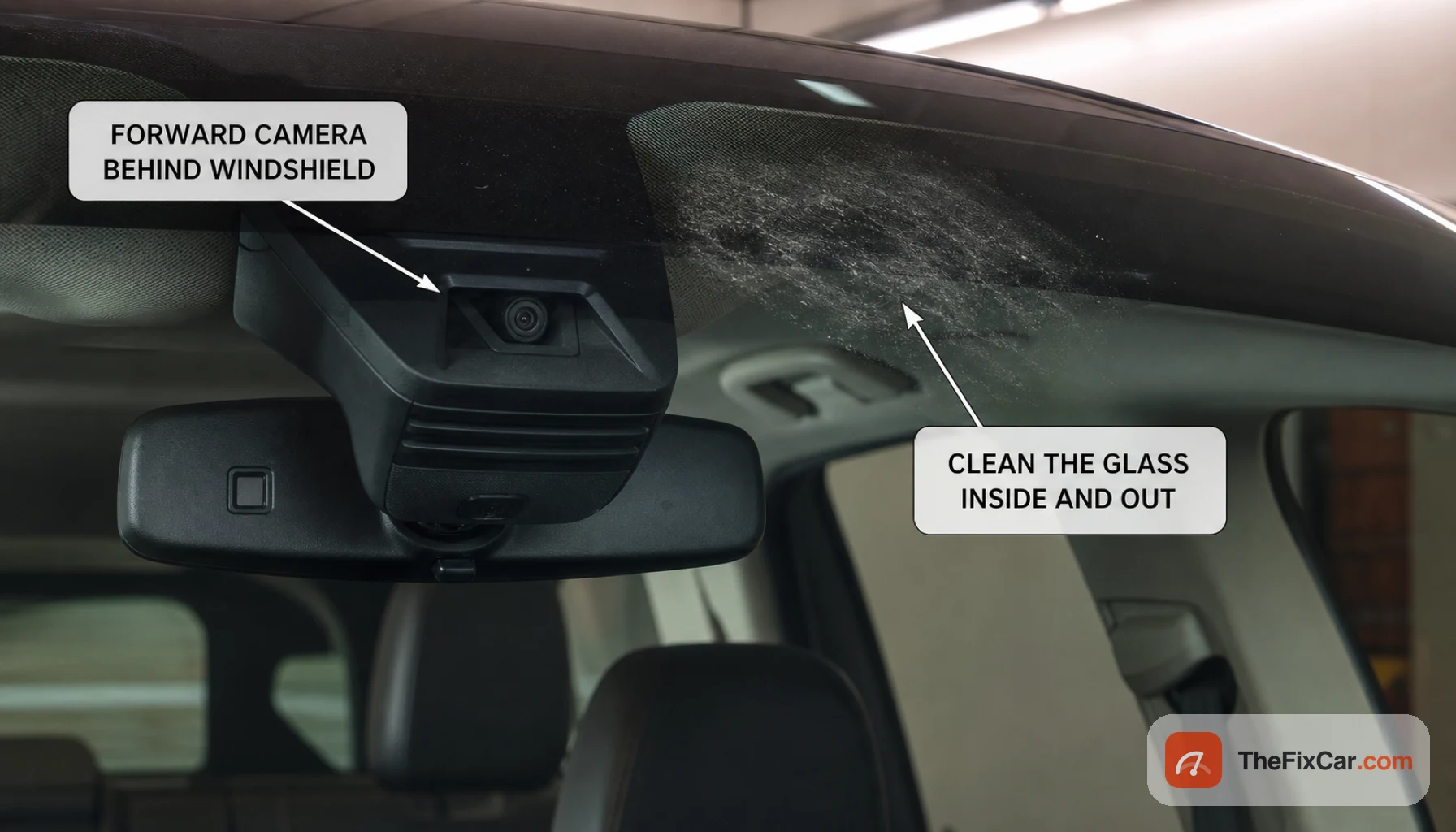
- Dirty windshield at the camera: film, frost, or smears on the glass in front of the camera near the mirror.
- Bad weather: heavy rain, snow, dense fog, or direct low sun can blind the sensors until conditions improve.
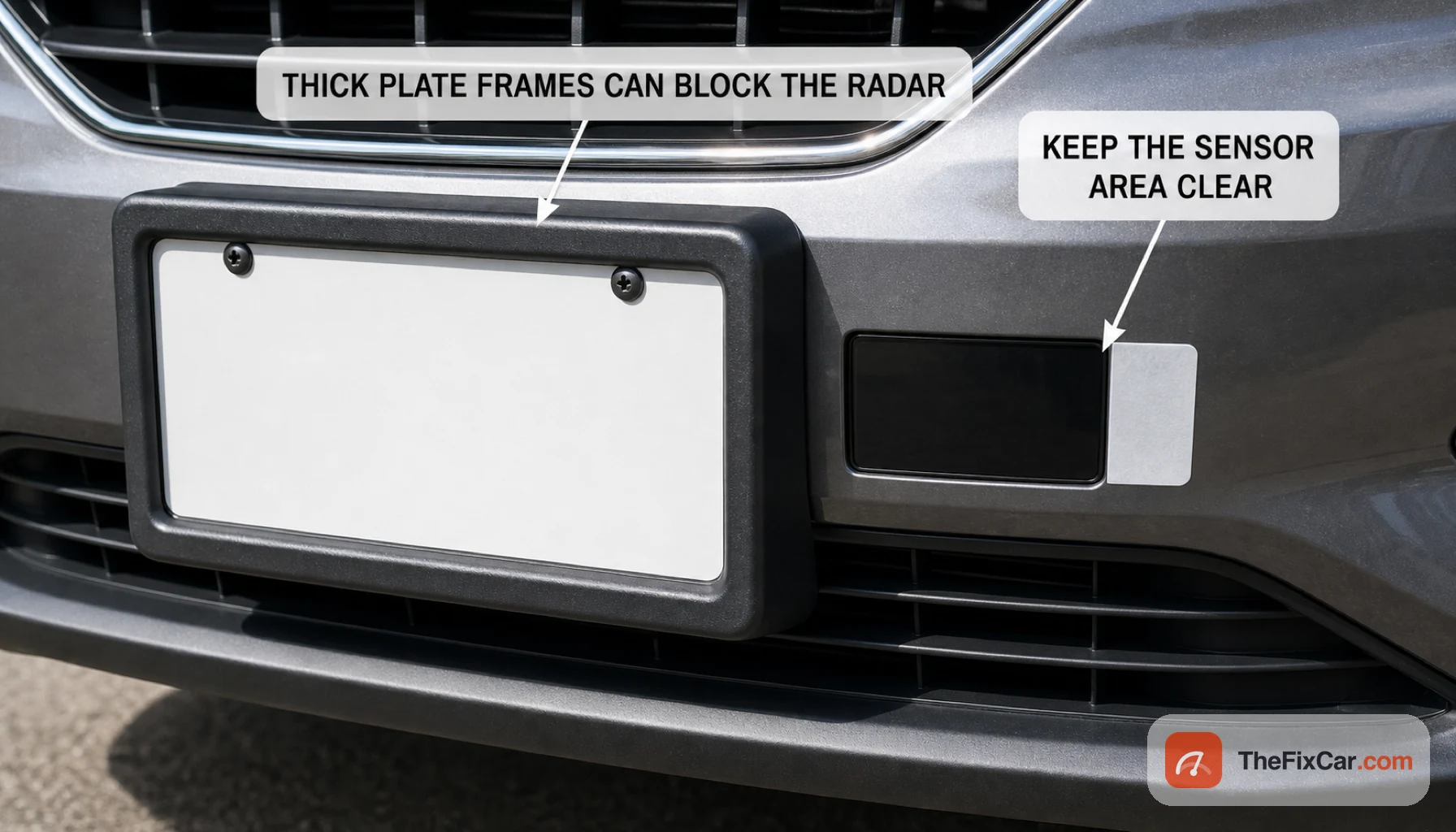
- Something covering the radar: a thick license plate frame, badge, bumper sticker, plow, or front-mounted accessory in the radar’s path.
- Miscalibration: after a windshield replacement, front-end repair, or a minor impact, the camera or radar can read as out of alignment.
- Sensor or wiring fault: less common, but a failed sensor or connector keeps the system offline even when everything is clean.
What to check first
- Wipe the front emblem and the lower grille area where the radar sits, clearing any snow, ice, mud, or bug splatter.
- Clean the windshield inside and out in the patch in front of the camera near the rearview mirror.
- Look for anything in the radar’s path: a heavy plate frame, added badge, bumper sticker, light bar, or bike or ski rack.
- If it appeared in rain, snow, or fog, wait until the weather clears and the glass defogs, then drive a short distance so the system rechecks.
- Restart the car after cleaning; many vehicles clear the message once the sensors see clearly again.
- If the message stays after all of that, have the system scanned with a Toyota-capable tool for stored fault codes.
Is it safe to drive?
Usually, if this is the only warning and the car steers and brakes normally. Automatic emergency braking and adaptive cruise may be unavailable while the message is up, so increase your following distance, stay ready to brake yourself, and do not continue if braking feels abnormal or other critical warnings appear. Restore the system as soon as you can.
When the problem is urgent
- The message stays on after thorough cleaning and in clear, dry weather, which points to a calibration or sensor fault rather than dirt.
- It appeared right after a windshield replacement, front-end repair, or a minor collision, which usually means the camera or radar needs recalibration.
- Other driver-assist warnings come on at the same time, such as lane tracing or blind spot, suggesting a broader fault.
- The automatic braking or adaptive cruise behaves erratically, such as braking for nothing, in which case stop using them and get it checked.
- The warning flickers along with other dash lights, which can indicate an electrical or connector problem.
Typical repair cost
These are broad U.S. estimates before tax; model, sensor type, local labor rates, and required calibration can change the total substantially.
- Clean the sensor yourself: $0, often the whole fix.
- Diagnostic scan: commonly $50 to $150 to read codes and identify the next diagnostic steps.
- Camera or radar recalibration: typically $150 to $400, often needed after a windshield or alignment change.
- Windshield with camera plus calibration: commonly several hundred to over a thousand dollars, since the glass and the calibration are billed together.
- Sensor or radar replacement: often $500 to $1,500 or more with parts, labor, and calibration.
Can I drive with the Pre-Collision System unavailable?
Usually, if this is the only warning and steering and braking feel normal. Do not rely on automatic emergency braking or adaptive cruise until the system is restored. Assume those functions will not respond: maintain extra following distance, stay ready to brake manually, and get the sensor cleaned or checked soon.
Where is the Toyota pre-collision sensor?
Location varies by Toyota or Lexus model and year. The millimeter-wave radar may be behind the front emblem or mounted in the grille, while the camera is typically behind the upper windshield near the rearview mirror; confirm both locations in the owner’s manual. Both need a clear view, so clean both areas when the message appears.
Why does Clean Sensor keep coming back?
If it returns after cleaning, the sensor is still partly blocked, the weather is still interfering, or the system is out of calibration. Recheck for ice or film you missed and for anything mounted in the radar’s path. If it keeps returning in clear conditions, the system needs a scan and likely a recalibration.